Finding anything should feel instant.
I turned a slow, submit-and-wait search experience into a keyboard-first command center for navigating Xano.
01 / THE PROBLEM
Search had become a source of friction.
Workspace navigation had become slow and deliberate: type a full query, submit it, wait for results, then scan a list that often repeated the structure of the sidebar. People had to stop and decipher where each result would take them.
The project started with a simple question from our engineering manager: why can’t I just hit Command + K and go where I need to go?
I took that question and made search fast enough to fade into the background.
02 / THE EXPERIENCE
A command center for the workspace.
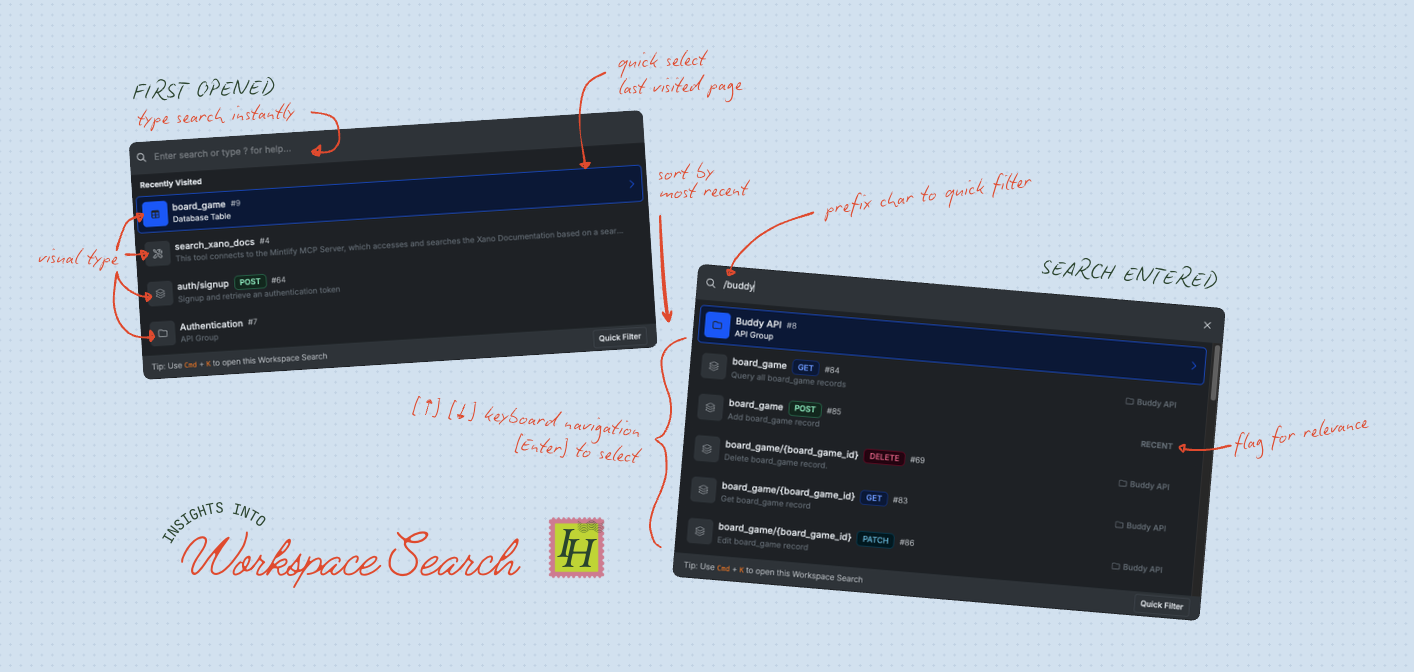
The new search opens from Command + K and focuses the input immediately. Results update as you type, so there’s no submit step and no waiting for a page of results to return.
I defaulted the list to recently visited pages for quick back-and-forth. The results prioritize the actual destinations people are looking for, with folder hierarchy only when it adds helpful context.
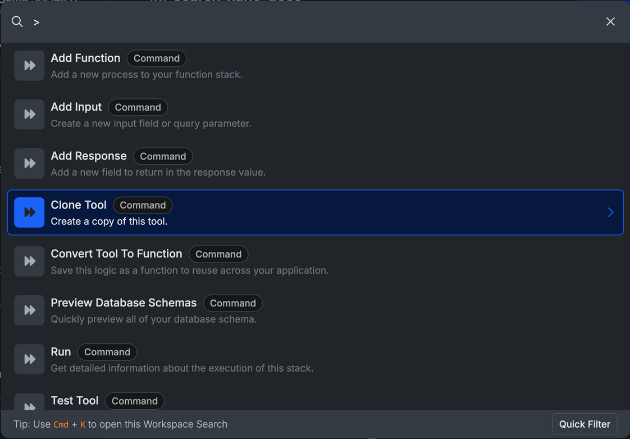
Icons, tags, and IDs help distinguish similar results at a glance. The command palette also stays in sync with available page actions, giving people a quick way to discover and access items that otherwise live in hidden menus, like settings.
03 / BUILDING FOR SPEED
Responsive enough to feel like a shortcut.
I implemented the feature in Angular and used Fuse.js to filter and search locally as people typed. The product requirement was simple: results needed to feel immediate. That speed is what makes a keyboard shortcut feel natural to reach for.
Small interactions that remove friction
- Keyboard navigation through every result
- Special-character prefixes to filter by resource type, such as API queries and API groups
- A ? mode that surfaces available shortcuts
- Matches inside function stacks, including variable names, so developers can jump into the right context
- Placement in the top-center navigation to make the behavior visible and easy to reach
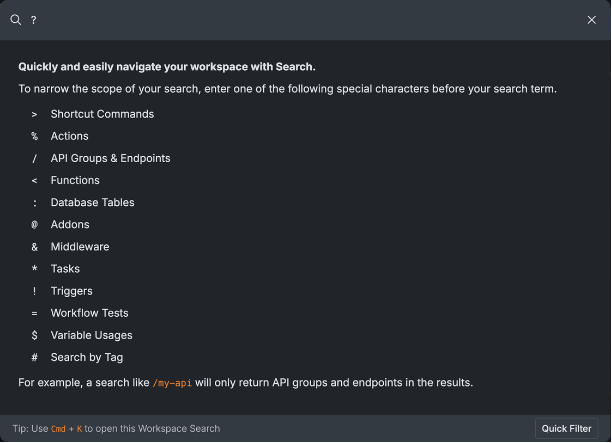
Find the right place with one quick motion.
04 / LAUNCH
Make the shortcuts easy to learn.
Because the feature had a few power-user affordances, I recorded a short launch video to show the keyboard navigation, quick filtering, page actions, and search-inside-function-stack behavior in action.
THE RESULT
Quick, clear, and out of the way.
After launch, 90% of Workspace Search opens resulted in navigation. The median journey from opening the palette to selecting a result was five seconds. More importantly, the experience turned a chore into a dependable, keyboard-first way to move through the product.